
Case Study

Designing a playful interaction-led web experience around a universally relatable pain point.

LEGO Step Finder is a micro-interaction-driven web app that turns the familiar experience of stepping on LEGO into a humorous, highly engaging digital interaction.

Interaction DesignUI DesignFrontend DevelopmentUX Writing2025Personal Project
Designing a playful interaction-led web experience around a universally relatable pain point.

Used playful interaction design and microcopy to create a memorable, high-engagement user experience.

Demonstrated how motion, feedback, and tone of voice can strengthen a simple product concept.

Combined UX writing, animation, and frontend execution into a compact but polished interactive build.

Services

Interaction Design · UI Design · Frontend Development · UX Writing

Date

2025

Agency

Personal Project

Client

LEGO Step Finder

Audience

Who this experience was built for

Casual web users, LEGO fans, meme audiences, and users who enjoy playful digital experiences with strong humor and interaction feedback.

Role

My contribution

This was a solo design and development project. I handled concept creation, UX writing, interface design, interaction design, prototyping, animation direction, and frontend implementation.

Challenge

The problem behind the experience

Many novelty websites are entertaining for a moment but lack strong interaction design, visual polish, or a cohesive experience. I wanted to explore how humor, micro-interactions, and frontend craft could turn a simple joke into a more memorable and shareable product experience.

Context

LEGO Step Finder

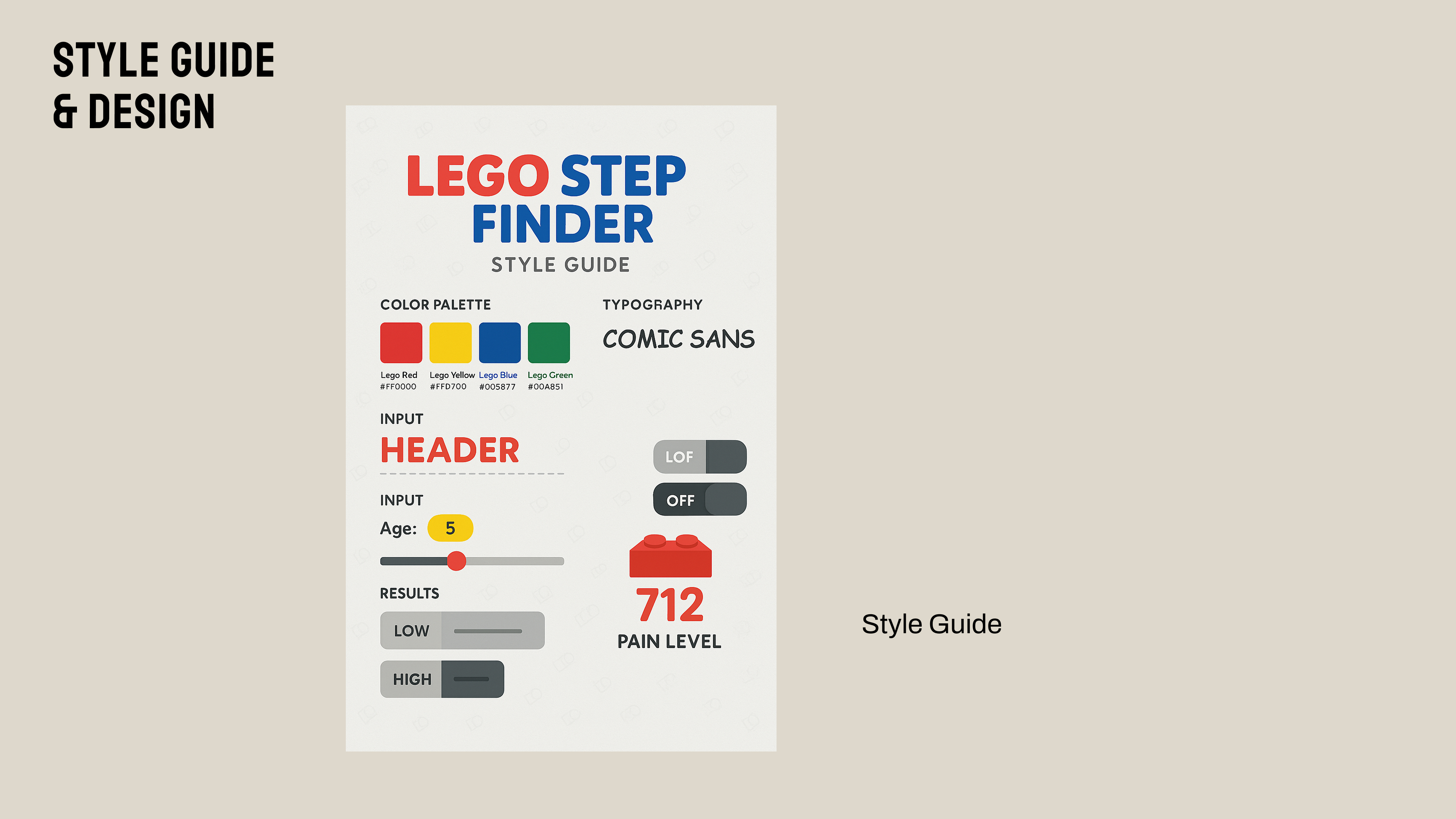
This project centered on translating user needs and product goals into a cleaner, more thoughtful digital experience.

LEGO Step Finder

Goals

Aligning business, design, and technical outcomes

Business

Create a memorable and shareable interactive experience that holds attention and encourages repeat engagement.

Design

Use humor, motion, and feedback to create a lightweight but polished interface that feels intentionally crafted rather than randomly playful.

Technical

Build a responsive frontend experience with interactive controls, animation, and fast feedback loops.

Tech Stack

Figma · HTML · CSS · JavaScript · Lottie · GitHub Pages

Accessibility

  • Maintained readable contrast and clear hierarchy across the interface.
  • Used simple controls and visible feedback states to support usability.
  • Designed lightweight layouts that remain understandable across screen sizes.
  • Balanced humor with clarity so interactions stayed intuitive.

Process

From discovery to a refined final experience

A structured process focused on clarifying user needs, reducing friction, and translating strategic thinking into polished interface decisions.

Step 1

Concept & Research

I explored the cultural familiarity of the “stepping on LEGO” joke and reviewed meme formats, pain-scale humor, and novelty website patterns to understand what makes a playful concept feel engaging rather than disposable. The goal was to identify a tone and interaction model that could turn a joke into a cohesive digital experience.
Step 2

Interaction Design & Prototyping

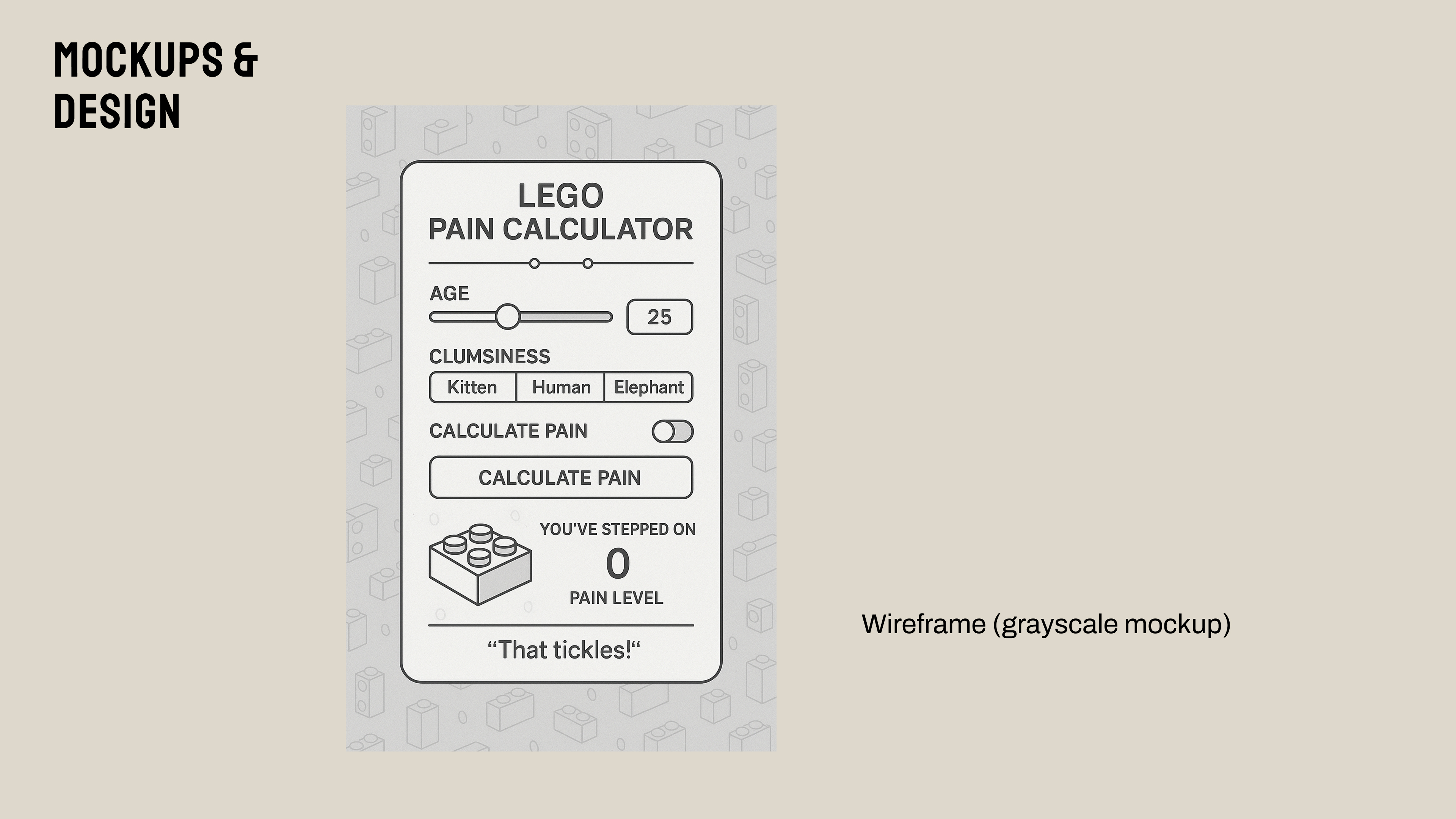
I mapped the core flow around user input, humorous calculation, and immediate feedback. In Figma, I prototyped the interaction pattern using sliders, playful copy, and response states to test pacing and emotional payoff. This phase focused on making the experience feel fast, entertaining, and easy to understand.

Step 3

Motion & Feedback Exploration

I tested multiple approaches for the central foot-stomp moment, exploring timing, exaggerated movement, and sound-driven feedback. The aim was to make the interaction feel expressive without becoming visually noisy or distracting.

Step 4

UI Design & Frontend Build

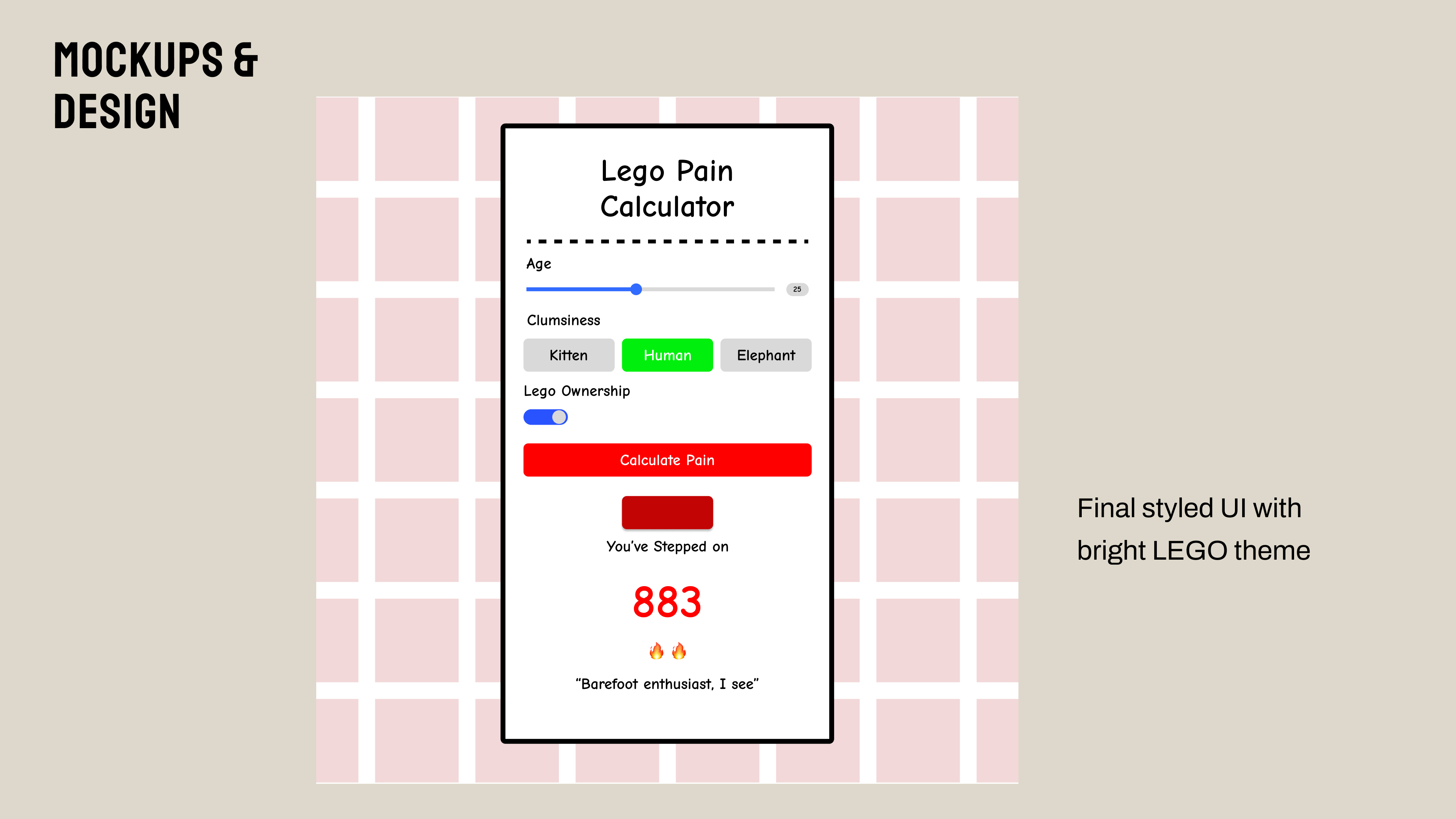
I translated the concept into a lightweight frontend build using HTML, CSS, and JavaScript. I focused on responsive behavior, animation timing, and microcopy polish so that the interface felt intentionally designed despite the playful concept.

Outcome

Final interface and visual direction

Final result 1
Final result 2
Final result 3

Reflection

What this project reinforced

  • Strong microcopy and interaction feedback can make even a simple concept feel distinctive and memorable.
  • Playful products still benefit from clear structure, visual hierarchy, and intentional pacing.
  • Micro-interactions are most effective when they reinforce the tone of the experience rather than acting as decoration.
  • This project reinforced my interest in combining humor, UX writing, and frontend craft to create engaging digital moments.

Let’s Connect

Let’s build something thoughtful, scalable, and visually sharp.

I’m open to product design, UI/UX, and frontend opportunities — from collaborative team roles to meaningful freelance projects.

Email Directly

Based in

Toronto, ON

Open to

Full-time · Contract · Freelance